Operations × AI × Practical Execution

AI Work Projects

A selection of operational tools I designed with AI assistance to turn real frontline problems into simple, usable workflows. These projects focus on accountability, visibility, quality, and reducing manual work.

Public portfolio version: company-sensitive names, employee information, internal identifiers, site codes, recipients, raw operating figures, and proprietary workflow details have been intentionally generalized or omitted. The interface screenshots below are real project views with company-sensitive and personally identifying information intentionally blanked out for this public portfolio.
Project 01

Holiday Pay Tracker

A workforce-accountability tool for tracking holiday-pay exclusions and auditing shift attendance around a holiday.

The operational need

Holiday payroll exceptions and attendance audits can become fragmented when information is tracked across separate notes, emails, or spreadsheets.

What I built

  • Holiday list with exclusion counts at a glance.
  • Timestamped exclusion log with reason, notes, and accountability trail.
  • Bulk entry and roster-assisted name selection.
  • Shift audit tracking, missed-attendance reporting, and summary statistics.
  • Administrative protection for destructive actions.

How it is used

Designed for HR and operations leaders managing holiday-pay exceptions and attendance verification.

Employee names removedSite identity removedInternal shift labels generalized
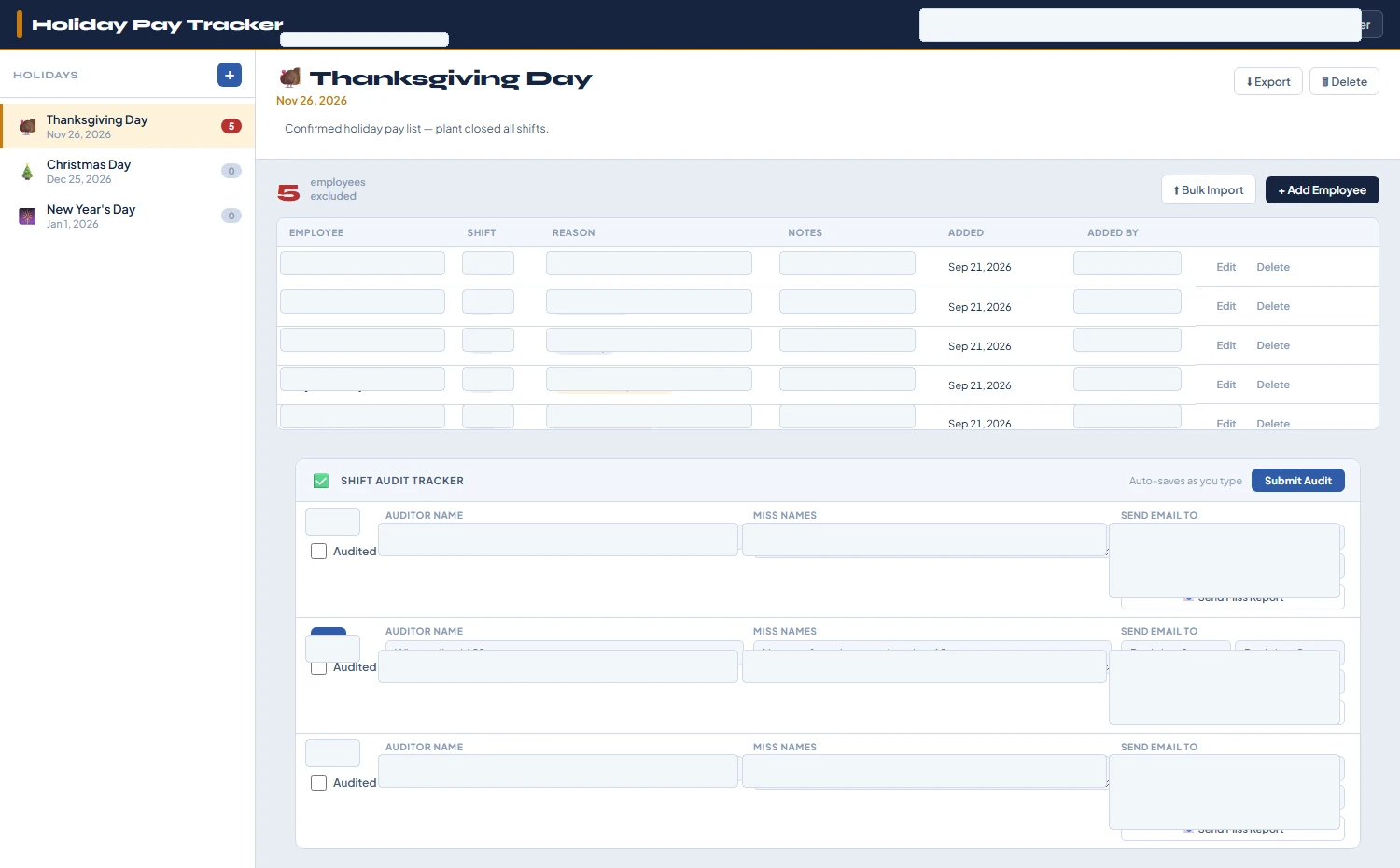
Sanitized screenshot of the Holiday Pay Tracker
REAL PROJECT SCREENSHOT — company, employee, shift, reason, recipient, and administrative details have been blanked out.
Project 02

Inbound Report

A shared weekly inbound-activity tracker that gives multiple distribution locations one current view of receiving and shipping activity.

The operational need

Multi-site reporting becomes difficult when each location maintains separate files and leaders have to chase prior-week information through email.

What I built

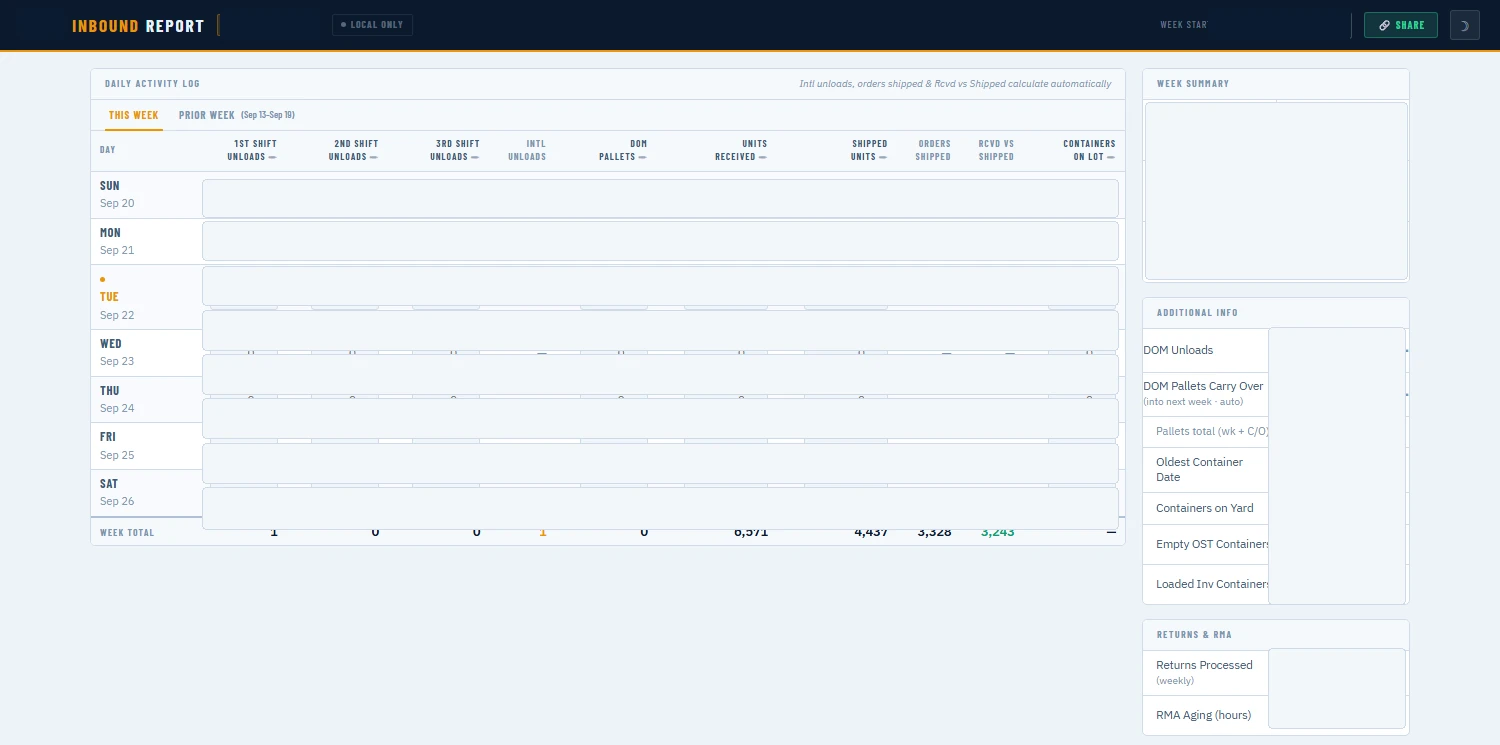
  • Location switcher that keeps each building’s weekly data separate.
  • Daily activity log covering unloads, pallets, units, and container activity.
  • Automatic calculations and a read-only prior-week view.
  • Weekly summary with carryover, aging, container, returns, and RMA information.
  • One-click formatted report sharing and live synchronization.

How it is used

Designed for inbound and receiving leaders to update throughout the week and use for week-end reporting.

DC codes removedRaw volumes replacedRecipients omitted
Sanitized screenshot of the Inbound Report
REAL PROJECT SCREENSHOT — site identity, dates, volumes, and internal operating figures have been blanked out.
Project 03

DC Trailer Audit Tool

A scan-based quality-audit workflow for checking whether packages from a trailer or bulk container are routed to the correct carrier lane.

The operational need

Dock-floor audits need to be fast enough for live operations while still capturing a clear record of failures and corrective routing information.

What I built

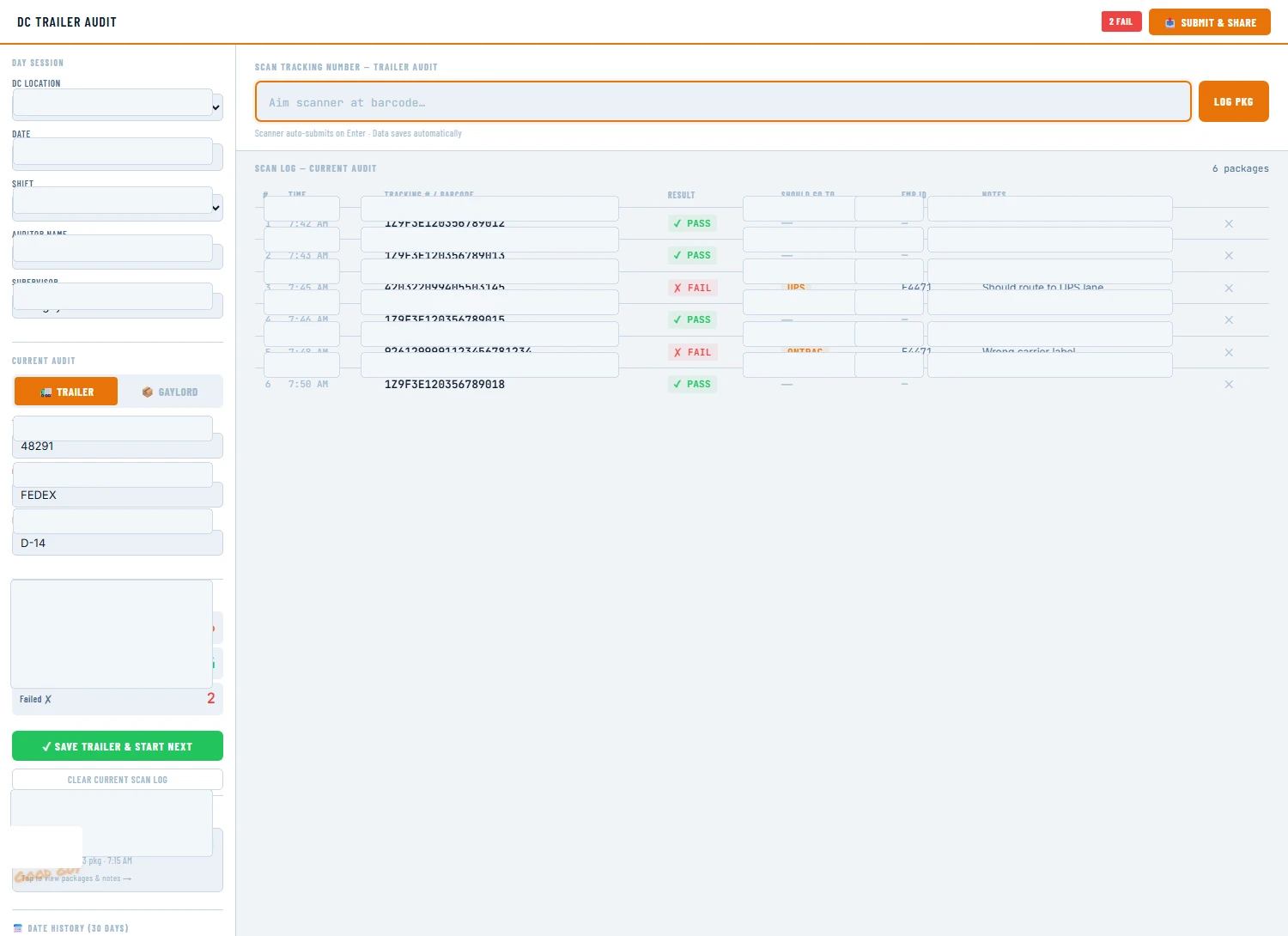
  • Session setup for location, date, shift, auditor, and leader on duty.
  • Trailer or bulk-container audit modes.
  • Scan-or-type workflow with immediate pass/fail logging.
  • Failure capture for corrected carrier, associate identifier, and notes.
  • Live audit statistics, saved sessions, and a shareable closeout report.

How it is used

Designed for dock auditors and operations leads performing quality checks during unload activity.

Tracking numbers removedEmployee IDs removedCarrier/site details generalized
Sanitized screenshot of the DC Trailer Audit Tool
REAL PROJECT SCREENSHOT — site, names, dates, trailer/carrier/dock data, tracking numbers, employee IDs, and notes have been blanked out.